Calcudoku Generator

Choose the size of the grid, the operations, and one or four grids per page. Press New for another puzzle, then print it. Every Calcudoku has exactly one solution, found by logic alone.

Version 1. Last updated on Sun, 25 Oct 2026.

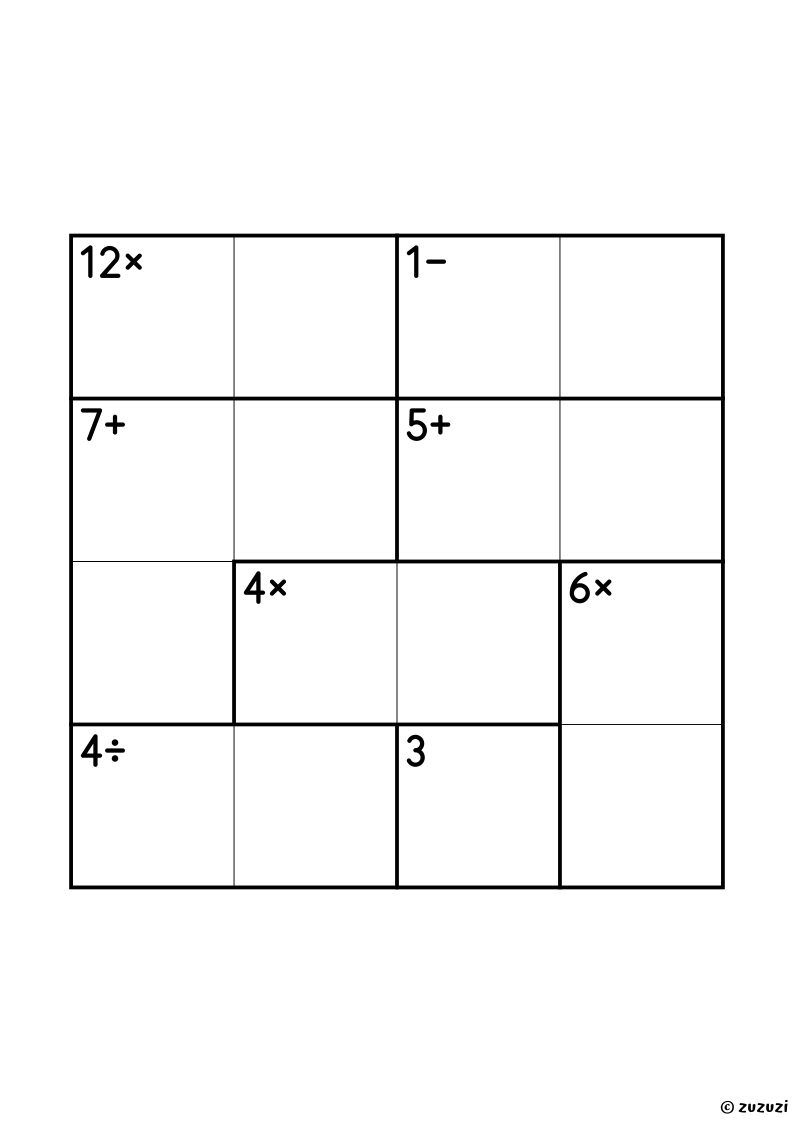
An example page of the Calcudoku Generator, ready to print.

Examples

The latest printable pages whose sheets were made with this generator, ready to download.

A 6x6 calcudoku grid with thick-lined cages, each with a target number and an operation sign, in black and white.
6x6 Calcudoku (12 Printables)

Twelve 6x6 calcudoku puzzles, one grid per page, in three levels of operations: addition only, addition and subtraction, then all four. Fourteen to seventeen cages per grid, the digits 1 to 6, and a book of all twelve.

A 5x5 calcudoku grid with thick-lined cages, each with a target number and an operation sign, in black and white.
5x5 Calcudoku (12 Printables)

Twelve 5x5 calcudoku puzzles, one grid per page, in three levels of operations: addition only, addition and subtraction, then all four. Ten to twelve cages per grid, the digits 1 to 5, and a book of all twelve.

A 4x4 calcudoku grid with thick-lined cages, each with a target number and an operation sign, in black and white.
4x4 Calcudoku (12 Printables)

Twelve 4x4 calcudoku puzzles, one grid per page, in three levels: addition cages only, then addition and subtraction, then all four operations. The size to learn the game, with a book of all twelve.

Frequently Asked Questions

What Can You Make With the Calcudoku Generator?

Printable Calcudoku math puzzles in three sizes, 4x4, 5x5 and 6x6, with cages that use addition only, addition and subtraction, or all four operations. You can print one grid per page or four of the same size and operations. Every puzzle has exactly one solution, and its answer key shows every number.

How Do You Play Calcudoku?

Calcudoku is a math puzzle on a grid: each row and each column holds every number from 1 to the size of the grid exactly once. The grid is split into cages, outlined in bold, and each cage shows a target number and an operation. The numbers of a cage must give the target with that operation: added, multiplied, or, in a cage of two cells, the larger number minus the smaller one, or divided by it. A cage of a single cell gives its number. Calcudoku turns arithmetic practice into a puzzle, and builds number sense and logical thinking.

How Does the Calcudoku Generator Work?
  1. Choose the settings. Pick the size of the grid (4x4, 5x5 or 6x6), the operations of the cages: addition only, addition and subtraction, or all four operations, and one or four grids per page.
  2. Make a new puzzle. Press New: a new puzzle appears at once, with the same settings. Each one comes from a random number, its seed, kept in the address of the page.
  3. Print it. Press Print to print the page on A4 paper, or choose “Save as PDF” in the print window to keep it.
  4. Get the answer key. Tick Show the solution: the same puzzle appears with its solution in orange, ready to print as the answer key.
  5. Share it. Copy the address of the page: it always gives the same puzzle back.

Every Calcudoku has exactly one solution, checked by the generator, and it can be solved by logic alone, without guessing. The cages have two to four cells; subtraction and division only appear in cages of two cells. The page is made in your browser: nothing is sent to Zuzuzi, and it is free, with no sign-up.